
Description
People buy Azure accounts for one of two reasons, and they are almost never the same person. Either your organisation already lives inside Microsoft’s world — Active Directory, Microsoft 365, .NET, Entra ID — and Azure removes friction that AWS will never remove for you. Or you need Azure OpenAI, and you have discovered that getting access to it through the front door is its own small bureaucratic ordeal.
This account solves both. It arrives verified, with an active subscription, raised limits, and the AI services reachable rather than pending.
The Azure signup problem
Azure’s onboarding is, if anything, more opaque than its competitors’. The subscription activates but the useful services do not. Payment verification hangs on cards that work perfectly everywhere else. Quotas start at levels that make the platform feel like a demo. And the AI services — the reason a large share of people come to Azure at all in 2026 — sit behind an access request that can take days and can be declined without a usable explanation.
None of this is malice. It is fraud prevention doing its job and catching legitimate builders in the process. Understanding that does not get your feature shipped.
What is included
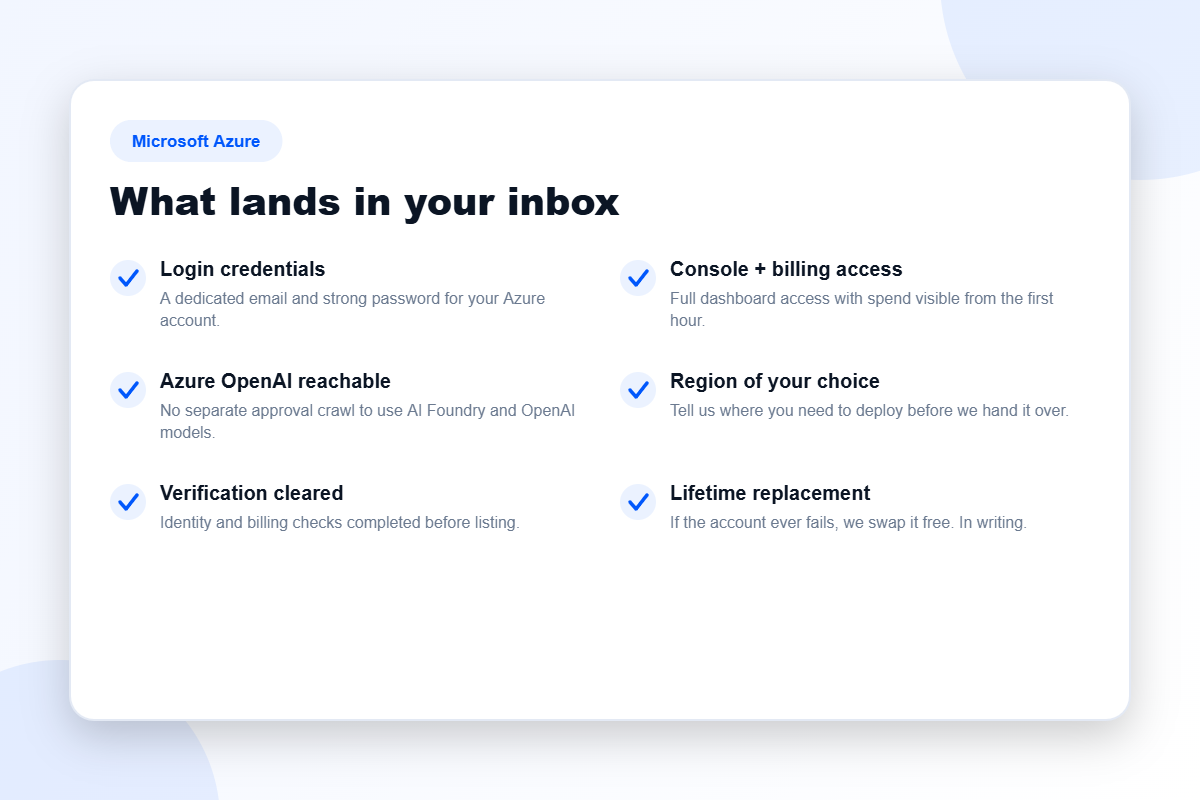
- Login credentials — a dedicated email and strong password for your Azure account.
- Full portal and billing access, with spend visible from the first hour.
- Azure OpenAI reachable — no separate approval crawl to use AI Foundry and the OpenAI model family.
- Raised compute limits across regions, so your first deployment is not blocked by a starter quota.
- The region you need, chosen before we hand the account over.
- Free lifetime replacement, written into the order.
When Azure is the right call — and when it is not
Choose Azure if…
- Your company already runs on Microsoft identity and tooling. The integration savings are real and they compound.
- You specifically need Azure OpenAI. This is a genuine differentiator and the most common reason our customers pick Azure over Google Cloud or AWS.
- Procurement or compliance has already made the decision for you, which happens more often than engineers like to admit.
Do not choose Azure if…
You are running a straightforward web application, an API and a database. Azure will do it, competently and expensively, with a portal that will occasionally make you want to lie down. Hetzner or DigitalOcean will do the same job for a fraction of the cost and a fraction of the cognitive overhead. We lay out that comparison honestly in this article, including the parts that cost us margin.
Tiers and pricing
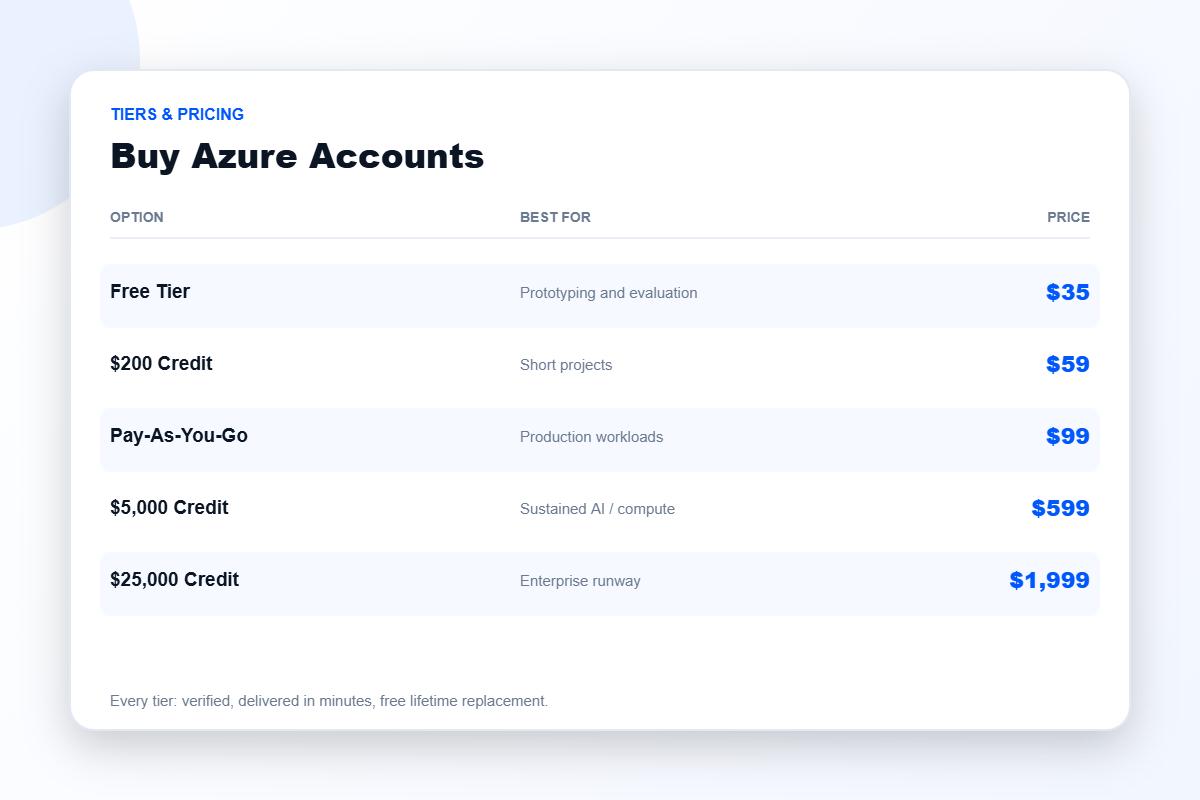
Free Tier — $35
A verified account on the free tier. Right for prototyping, evaluation, and confirming that Azure actually fits before you commit money to it.
$200 Credit — $59
A modest working balance. Enough for a short project or a serious proof of concept without opening a billing relationship first.
Pay-As-You-Go — $99
An active PAYG subscription with billing live and limits raised. This is the tier for production work, and the one most teams should be looking at.
$5,000 Credit — $599
Sustained AI or compute workloads. If you are running Azure OpenAI at any real volume, the bill moves quickly, and preloaded credit is usually the cheaper way to buy that capacity.
$25,000 Credit — $1,999
Enterprise runway. Long-horizon projects where infrastructure cost is a planning constraint rather than an afterthought.
Delivery and guarantees
Delivery is automated: median time from cleared payment to a working portal is roughly nine minutes, at any hour. If the account fails at any point afterwards, message support and we replace it free — a written term, not a gesture.
Frequently asked questions
Is Azure OpenAI actually enabled?
The account is configured so the AI services are reachable rather than sitting behind a pending access request. If you have a specific model or region requirement, tell us before ordering and we will confirm it explicitly rather than let you assume.
Can I use my own Microsoft 365 tenant?
That depends on your setup. Describe it to us and we will tell you honestly whether this account fits or whether you would be better served fixing your existing subscription.
How does this compare to AWS?
Different strengths, genuinely. AWS has the broader catalogue and deeper community; Azure wins on Microsoft integration and OpenAI access. Neither is universally better. Our comparison guide refuses to pick a winner because there is not one.
What if I picked the wrong platform?
Ask before you buy. That is the cheapest possible moment to be wrong, and we would rather redirect you than sell you the wrong thing.
Getting the most out of an Azure account
Set a budget alert on day one
Azure will happily let you spend money you did not intend to spend, and the portal does not go out of its way to stop you. Before you deploy anything, open Cost Management and set a budget with an alert threshold. It takes four minutes and it is the single highest-value thing you can do with a new subscription.
Understand what “region” actually costs you
Azure pricing varies meaningfully between regions for identical resources, and availability of the newest AI models varies even more. Choosing a region for latency reasons alone can quietly cost you both money and capability. Tell us your requirements before we deliver and we will set the account up in a region that serves both.
Do not over-provision to feel safe
The instinct to buy a larger tier “just in case” is understandable and usually wrong. Start where your workload actually sits, watch the spend for two weeks, and scale from evidence rather than anxiety. If you outgrow the tier, that is a good problem and an easy one to solve.
Account safety and hygiene
Whatever account you buy — from us or from anybody else — treat the first hour as a security exercise rather than a deployment one.
- Change the password immediately and store the new one in a password manager, not a text file.
- Enable multi-factor authentication before you do anything else.
- Create a working identity rather than operating day to day as the root or global administrator.
- Review the billing settings so you know exactly what payment instrument is attached and what happens when credit runs out.
Any seller who does not tell you to do these things is not looking after you. Our full vetting guide — including the questions we would rather you did not think to ask us — is in the buying checklist.
Why buy rather than sign up?
The honest framing is that you are not buying Azure. Azure is free to sign up for. You are buying back the days that verification, quota requests and AI access approvals would otherwise consume — and you are buying certainty about the outcome, which the signup process pointedly does not offer.
For a hobby project, that trade is probably not worth it, and you should go and sign up. For a team with a deadline, an agency with a client, or an AI product that needs OpenAI access this month rather than eventually, it usually is. We would rather you made that judgement with clear eyes than because a product page told you to.
Related
Browse all cloud accounts, compare with Google Cloud, Oracle Cloud or the AWS range, or read our buying checklist before you spend anything anywhere.
Disclaimer: BuyAWSAc.com is an independent reseller. We are not affiliated with, authorised by, or endorsed by Microsoft Corporation. All trademarks are the property of their respective owners. Buying a cleared account saves you the verification queue; it does not transfer responsibility. You remain accountable for operating within the platform’s terms of service and for whatever you deploy.
Reviews
There are no reviews yet.